Metrics and Insights

Tangible generates performance metrics from your takeoff data and design inputs — no manual calculation needed. Use them to benchmark projects, catch outliers, and understand what's driving cost and carbon.

Use cases

Use case:

  • Design optimization — Identify assemblies or building zones driving disproportionate cost and carbon.
  • Material overuse detection — Flag where a design is over-specified compared to similar buildings.
  • Lessons learned — Use historical data to set realistic targets and avoid past inefficiencies.
Project metrics

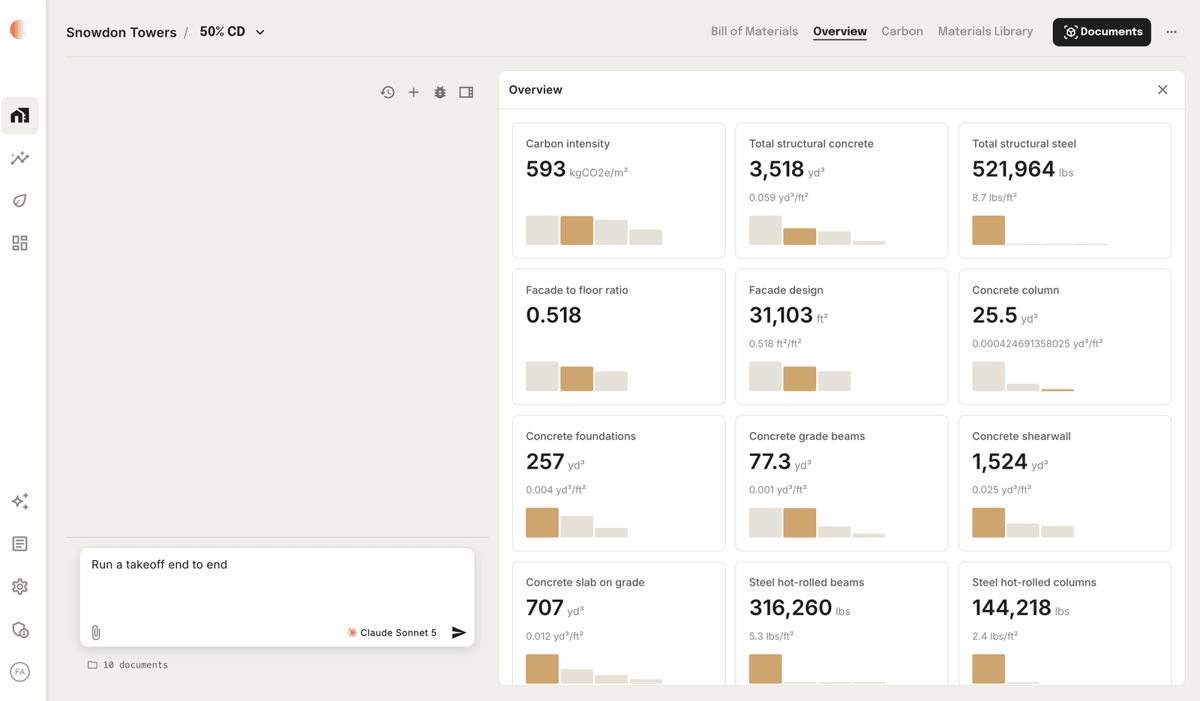
Tangible computes metrics automatically from your takeoff data and design inputs. Open the Metrics tab on any project to see:

  • Material intensity — quantities normalized by default building area (e.g., yd³ of concrete per ft²).
  • Design ratios — window-to-wall ratio, facade-to-floor ratio, and other geometric relationships.
  • Carbon intensity — embodied carbon per unit area (kgCO2e/m²) for cross-project benchmarking.
Metrics tab showing carbon intensity, structural concrete, structural steel, window-to-wall ratio, and facade-to-floor ratio

Comparative analysis

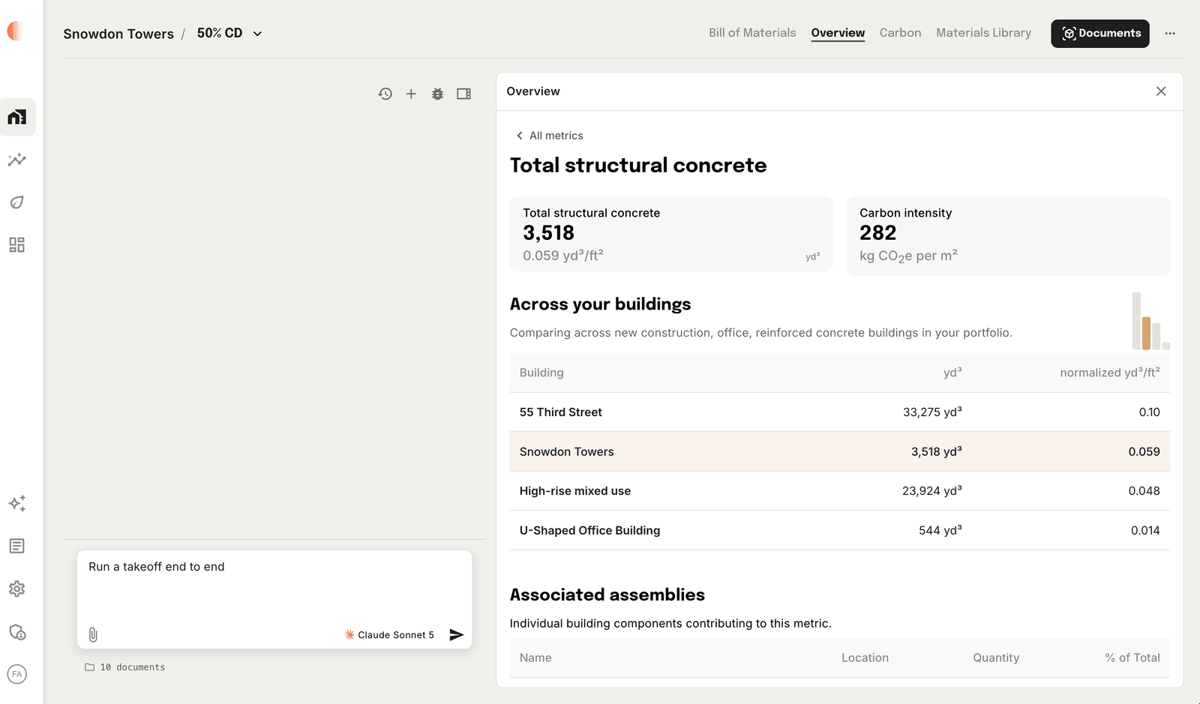
Click any metric to benchmark it against similar buildings in your portfolio — same asset type and structural system. Tangible shows both absolute and normalized values so you can spot where a design deviates from the norm.

Values that fall significantly outside the expected range are flagged as outliers. Flagging requires 3+ comparable projects and only triggers when meaningful variation exists to avoid false alarms.

Comparative metrics view showing total structural concrete flagged as high relative to similar buildings in the portfolio

Was this page helpful?