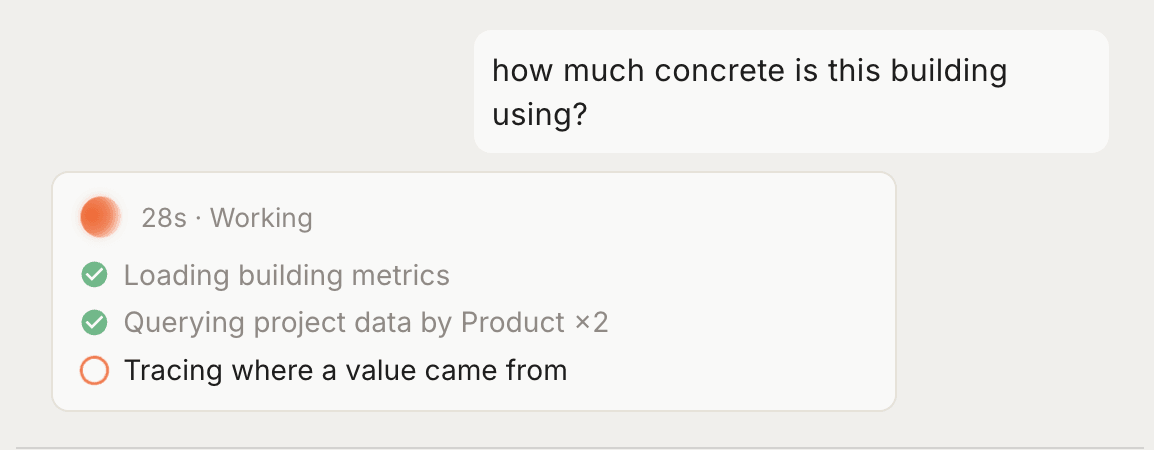
Tangible uses AI to do the heavy lifting in preconstruction — reading drawings, extracting quantities, and mapping materials to standardized assemblies. But the AI never works alone. Every decision is visible, traceable, and yours to override.
How we think about AI
Control
You control the inputs and outputs. The agent doesn't make final judgments — at key checkpoints during a takeoff, it pauses and surfaces recommendations for your review. You can accept, adjust, or override any decision, and the agent incorporates your feedback going forward.
Reasoning
The agent shows its reasoning as it works, so you can follow the steps rather than wait for a result. Every assignment comes with an explanation of why it chose that assembly, what properties it looked at, and what alternatives it considered.
Traceability
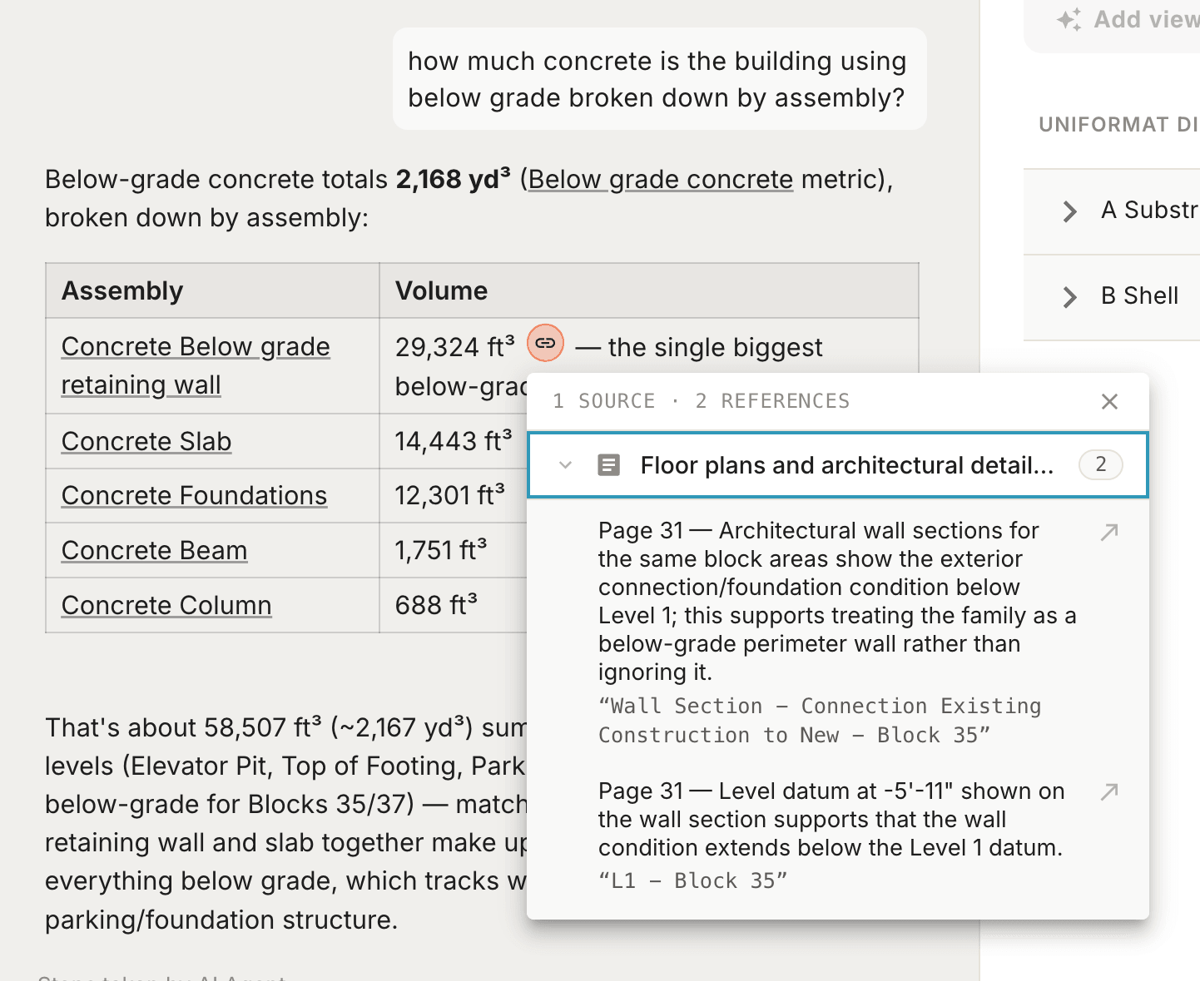
Every quantity, assembly assignment, and material classification traces back to a specific source — for example, the 3D model, a PDF drawing, or a Tangible assumption. Each value links to the exact document or assumption it came from, so you can inspect and verify the agent's work. If there's a conflict between sources, the agent flags it for your review rather than guessing.
Citations appear in two places: in the interface alongside the data, and in the agent's own responses. When the agent tells you something, it shows you where it got it.
You can also ask. Prompt the agent to explain how it arrived at a number and it plays back the derivation — the elements it measured, the drawings it read, and the assumptions it applied to get there.
Learning
Takeoffs combine smart defaults with customization. On each project, you make one-off edits when you need them — correcting assembly choices, adjusting variables, or swapping a material at checkpoints. For your organization, the Tangible team applies your standard products and design assumptions across projects when they run takeoffs, so results stay aligned with how your firm estimates and reports.
Coming soon: Self-serve workspace settings for organization defaults, and automatic capture of preferences from your refinements so each project requires less manual correction than the last.
Where AI is used
Takeoff Agent
The Takeoff Agent is the core AI workflow in Tangible. It processes your Revit model family by family, cross-references PDF drawings for design intent, and maps each element to a standardized assembly.
Works through each building discipline — structures, enclosures, interiors, sitework — one at a time
Extracts geometry, quantities, and material properties from the 3D model
Reads PDF drawings to fill in details the model doesn't capture (concrete strengths, wall assembly types, fire ratings)
Presents key decisions at checkpoints for your review
Working with your data
Once a takeoff lands, the agent is how you work with it. Ask about quantities in plain language, compare versions or products, request the data in the format you need, or change an assumption — it answers from your project data and cites its sources.
Your data stays safe
Tangible is designed for the security requirements of the AEC industry. Here's what matters:
Your data is never used for training — Project files, models, and drawings are never used to train third-party AI models. Period.
Processing is isolated — Each project is processed in its own secure session. Data from one organization is never accessible to another.
Encryption everywhere — All data is encrypted at rest and in transit using industry-standard protocols.
You own your data — You can export or delete your project data at any time.
For full details on compliance, subprocessors, and controls, see Trust and Security.