ACC Integration

Tangible's Autodesk Construction Cloud (ACC) integration connects your ACC project data directly to Tangible. Once set up, you can import models and documents without manual uploads.

Why connect to ACC?

  • Stay in sync — Access the latest design version without chasing files.
  • Save time — No manual document collection or re-uploading.
  • Continuous tracking — Automatically measure materials at every version of building documents.

Setup

Note: Your organization's ACC Account Admin must complete step 1 before other users can connect.
1

Install the Tangible app in ACC

ACC Account Admin

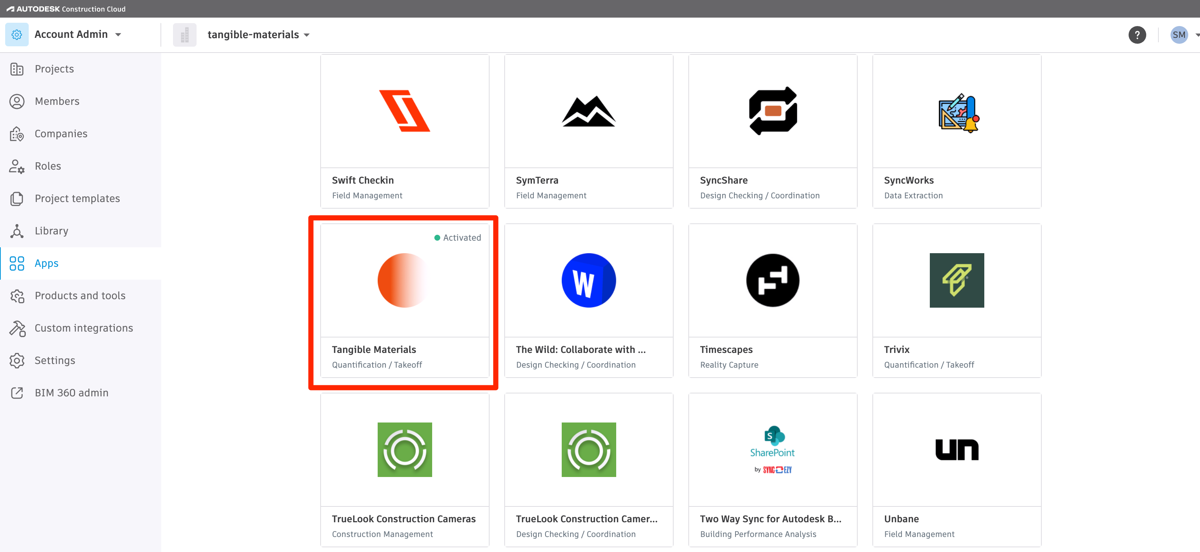
  1. In ACC, go to Account Admin → Apps.
  2. Find Tangible Materials and click Install.
  3. Click Next and accept the permissions.
ACC Account Admin Apps page with Tangible Materials app activated
2

Connect your Autodesk account

Any user

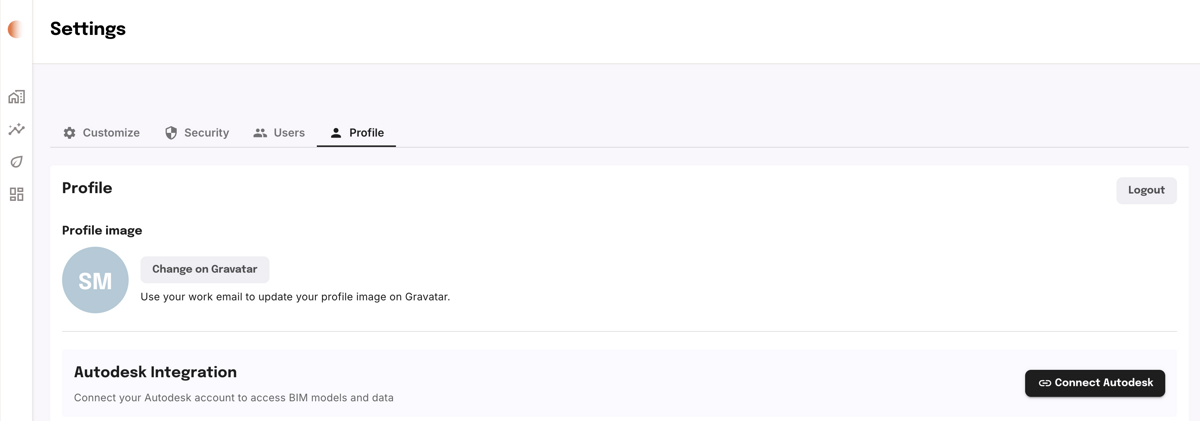
  1. In Tangible, go to Settings → Profile.
  2. Click Connect Autodesk and follow the authorization prompts.
Tangible Settings profile page with Connect Autodesk button
3

Create a project from Autodesk

Any user

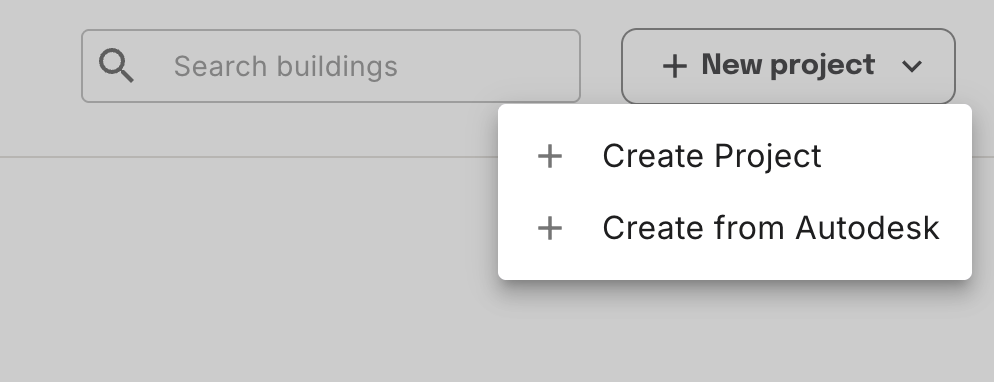
  1. On the Buildings page, click New Project → Create from Autodesk.
New Project dropdown showing Create from Autodesk option
4

Select a project and import

Any user

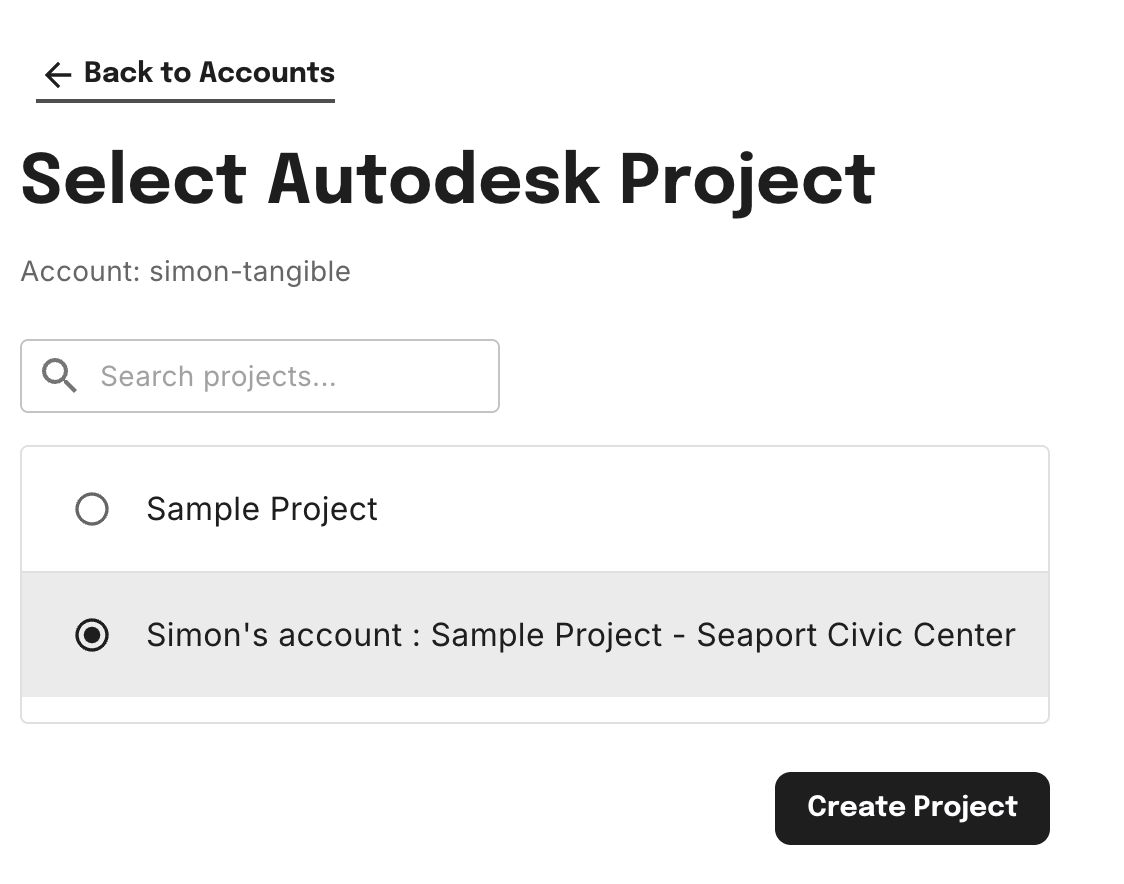
  1. Choose the ACC project from the list — you'll see every project you have access to in Autodesk.
  2. Click Create Project. Tangible imports the latest models and drawings and kicks off takeoffs.
Select Autodesk Project dialog showing available ACC projects

Troubleshooting

  • Don't see the Tangible app in ACC? — Ask your ACC Account Admin to check the Apps page under Account Admin. The app must be installed and activated.
  • Don't see your projects after connecting? — You'll only see ACC projects you have access to in Autodesk. Contact your ACC admin if a project is missing.
  • Connection errors during authorization? — Try signing out of Autodesk in your browser, then reconnect from Settings → Profile in Tangible.

FAQ

Does it continuously pull in updated data when the Revit model changes?

You can request a re-run of takeoffs on the latest version when something changes. Automated version creation from new documents is coming soon.

How are design iterations tracked?

Each design update can create a new version in Tangible, so you can compare across project stages.

Was this page helpful?