
Structured material quantities that plug into your existing estimating workflow. The underlying data doesn't change — only how it's organized, so you can shape it around whatever you're pricing.
Cost Estimating
Data formats
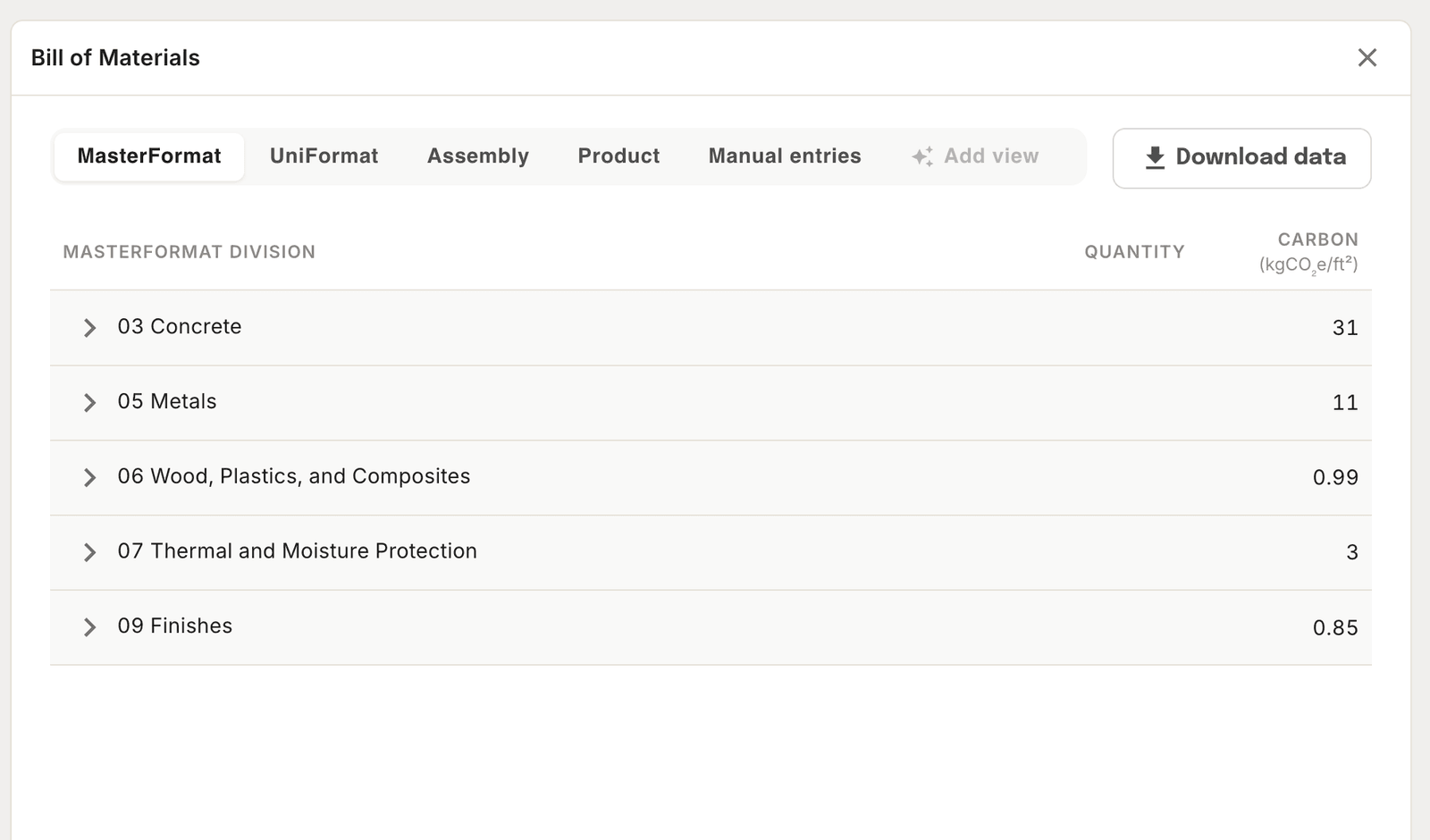
The same data, organized however your workflow needs it. Switch between views instantly — nothing is re-run or re-measured.
- MasterFormat — By trade division. Best for bid packages.
- Uniformat — By building system. Best for early-stage budgets.
- By assembly — Grouped as the building goes together.
- By product — Grouped by the material itself.
Use cases
Use case:
- Bid packages — Slice the takeoff by trade division and hand each subcontractor only their scope.
- Early budgets — Price by building system before the design is detailed enough for trade breakdowns.
- Scope validation — Check a subcontractor's numbers against the same model everyone is working from.
Getting quantities out
There are two routes out. Use Download data on the Bill of Materials to export what's on screen, or ask the agent for the shape you want and download the table it returns.
Either way you get formatted .XLSX with full metadata — assembly codes, dimensions, locations — and both classifications: Uniformat for assemblies, MasterFormat for products and categories.
Look things up
Ask the agent instead of building a view or filtering a table. It answers from the project data and cites the source.
- "How much concrete is in the foundations?"
- "What's the total glazing area on the north elevation?"
- "Which assemblies use mineral wool insulation?"
Ask for the format you need
You aren't limited to those four. Describe the structure you want and the agent assembles it, then hands you an Excel file to download.
- "Give me the structural scope by level, with MasterFormat codes."
- "Group the enclosure quantities by product and export it."
- "I need this to match our bid template — one row per assembly, with units."
Checking outside numbers
Drop a document into the agent and ask it to work against your project data. It reads PDFs, spreadsheets, Word documents, Markdown, JSON, images, and plain text.
- "Compare this subcontractor's takeoff against our quantities."
- "Here's an updated spec — what changes?"
Adding cost data
Coming soon: Apply historical or market unit costs to your quantities to generate a baseline budget directly in Tangible — no spreadsheet required.
Related
Was this page helpful?