Tangible links every material in your project to carbon data so you can track embodied carbon in real time as the design evolves. Carbon modeling is aligned with the National Whole Building Life Cycle Assessment (wbLCA) guidelines; EPD-based data follows ISO 21930, and whole-building assessment is consistent with EN 15978. See Whole Life Carbon methodology for detail.
Use cases
Use case:
Carbon tracking over time — Record the project's carbon footprint at major milestones and see how design decisions affect outcomes.
Carbon reporting — Export data to match any reporting standard at any point in the construction timeline.
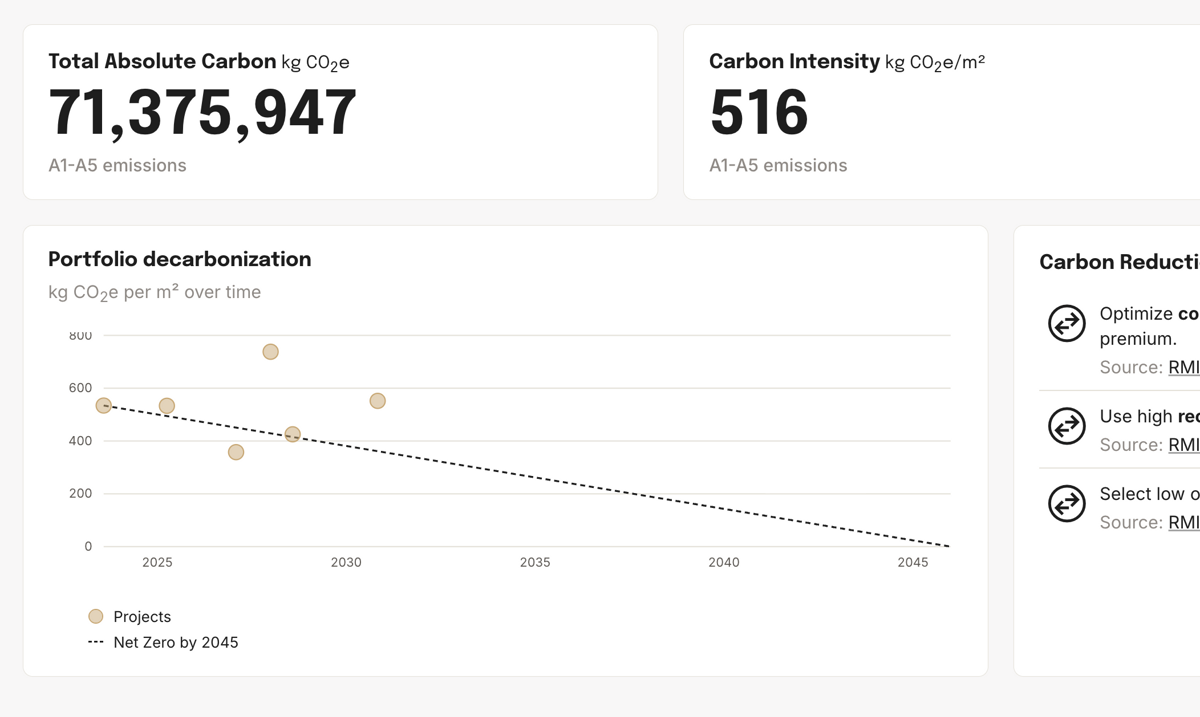
Portfolio decarbonization — Aggregate carbon data across all projects to track progress toward net-zero goals.
Publish or unpublish projects or versions to include or exclude them from organization-level portfolio and decarbonization views. See published vs. draft.
Carbon tracking over time
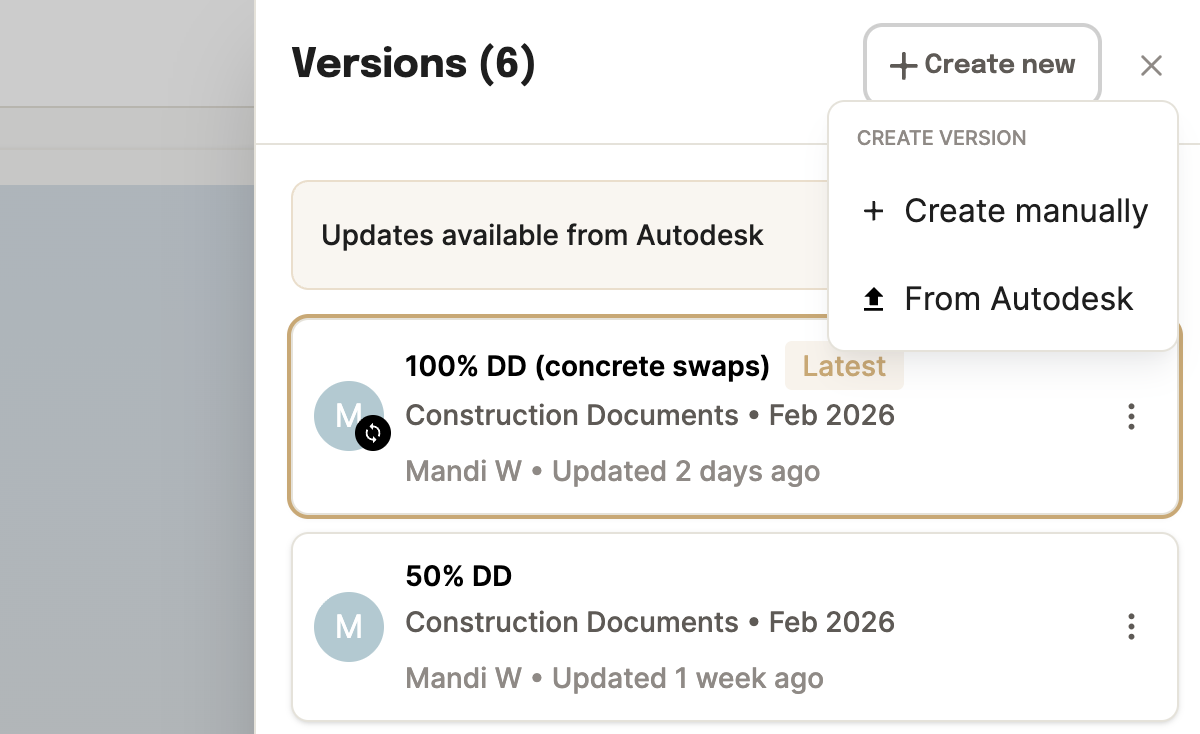
Create a version at every major milestone — schematic design, 50% DD, 100% CD — or anywhere in between. Each version captures a full snapshot of quantities and carbon data.
Compare the baseline against later stages to see exactly which decisions drove carbon up or down.
Carbon reporting
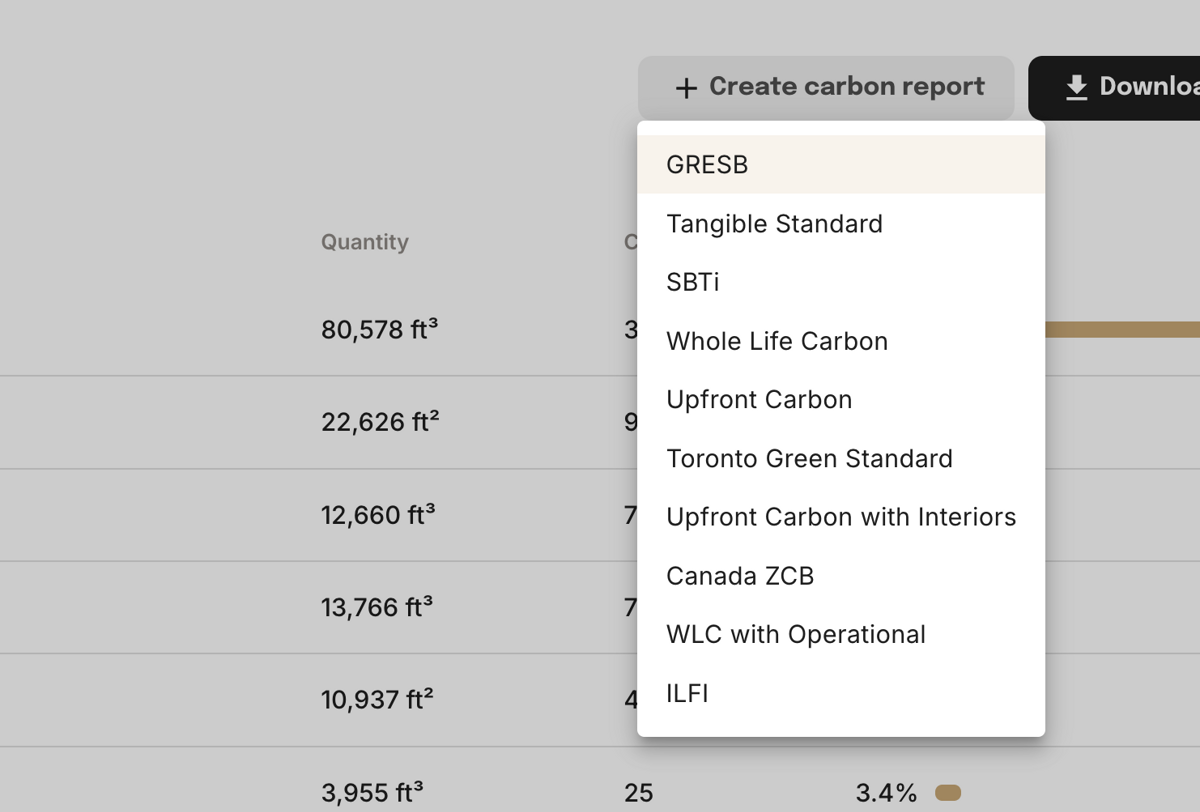
At any point in the construction timeline, click Create carbon report and select a reporting standard from the dropdown. Tangible auto-filters quantities and lifecycle scopes to match — no manual adjustments needed.
The standards available are controlled by your workspace admin under Settings → Organization standards. Because the underlying dataset is the same, you can generate reports for multiple standards without re-entering data.
Portfolio decarbonization
Every project you add is automatically aggregated into the portfolio view. The dashboard shows total absolute carbon, average carbon intensity, and a decarbonization trendline plotted against a net-zero-by-2045 target.
Filter by asset type, region, or project stage to see how different parts of your portfolio are performing.
Publish or unpublish projects or versions to control what is included in portfolio views and decarbonization rollups. Published vs. draft
Carbon mapping
Every material in a Tangible project is linked to an Environmental Product Declaration (EPD) — a third-party verified document disclosing a product's carbon impact (e.g., 5 kg CO2e / m2). Tangible uses two types:
Industry-wide EPDs — Regional average impacts for a product category. Used when manufacturer details aren't known yet.
Product-specific EPDs — Impacts from a named product and manufacturer. Used when the design specifies a mix or supplier.
Auto-assignment
The Takeoff Agent assigns EPDs to every extracted material using search criteria — product category, strength, project location — so the same assembly works across geographies and always finds the best available match. Quantities are automatically converted to mass using material-specific density constants before GWP is calculated.
EPD refinement
Industry-wide EPDs give you a reliable baseline early. As specifications lock in, product-specific EPDs replace them to reflect exactly what gets built.
EPD precision over project lifecycle
Less precise
More precise
SD
Schematic Design
Industry-wide EPDs
Tangible auto-assigns regional average EPDs based on building type, location, and material category. No manufacturer data needed yet.
Example assignments
Regional concrete average
Generic steel rebar
CLF baseline insulation
Data precision
DD
Design Development
Refined industry EPDs
As drawings add detail — concrete strengths, wall assemblies, stud gauges — the agent narrows search criteria to more specific industry-wide EPDs.
Example assignments
35 MPa concrete by region
6" metal studs at 16" o.c.
R-19 batt insulation
Data precision
CD
Construction Documents
Product-specific EPDs
Swap in EPDs from known manufacturers, proprietary mixes, or your own uploaded data. Carbon numbers now reflect exactly what gets built.
Example assignments
Lafarge ECOPact 35 MPa
Owens Corning EcoTouch R-19
Nucor rebar (mill-specific)
Data precision
Reducing carbon
Carbon numbers are driven by the products and assumptions behind each material, so you lower them by changing those.
Compare the options
Ask what the alternatives cost you in carbon before committing.
"Compare embodied carbon between the DD and CD versions."
"Compare this precast option against the cast-in-place assembly."
"Which assemblies are driving the most embodied carbon?"
Swap to a lower-carbon product
Override the agent's assignment at any stage to swap in a different product.
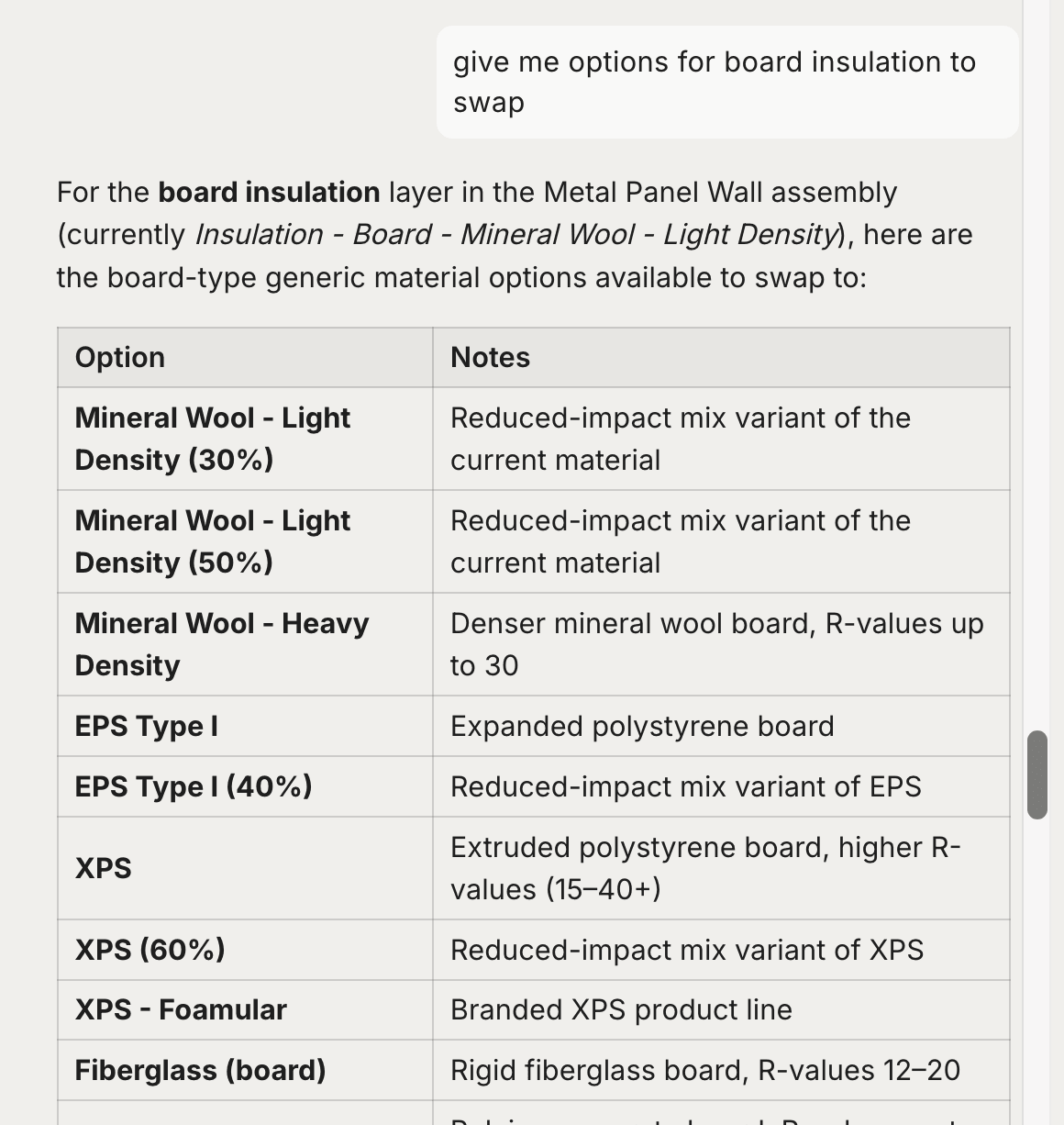
Building-wide — Replace a product everywhere it appears (e.g., switch insulation across all exterior walls).
Location-specific — Apply changes to certain areas only (e.g., high-performance concrete for Floors 1–5).
(Coming soon) By schedule — Assign unique GWP values to different concrete strengths or placement locations.
Ask the agent for options — "What lower-carbon alternatives are there for this cladding?" — and it works from the project's specs and location.
To keep the product but improve the data behind it, ask it to update the EPD instead, or upload your own. See Refining Data for how changes are previewed and applied.
Data scope and sources
Tangible covers embodied carbon (A1–A5, B1–B5, C1–C4) and operational carbon (B6), assuming a 60-year building life.